Listonix: Listing Importer for HivePress
A WordPress.org plugin that imports thousands of HivePress listings from a spreadsheet without timeouts, resumes interrupted imports, and never duplicates images.
- Type
- Open source · published on WordPress.org
- Role
- Author and maintainer
Impact
- Status
- Live on WordPress.org
- Image types detected
- JPEG · PNG · WebP · GIF · AVIF
- Interrupted imports
- Resume from exact row
The problem
Directory sites built on HivePress need to load hundreds or thousands of listings, but adding them one by one is slow, and naive importers time out on large files, break on CDN image URLs without file extensions, and fill the media library with duplicate copies on every re-import.
The solution
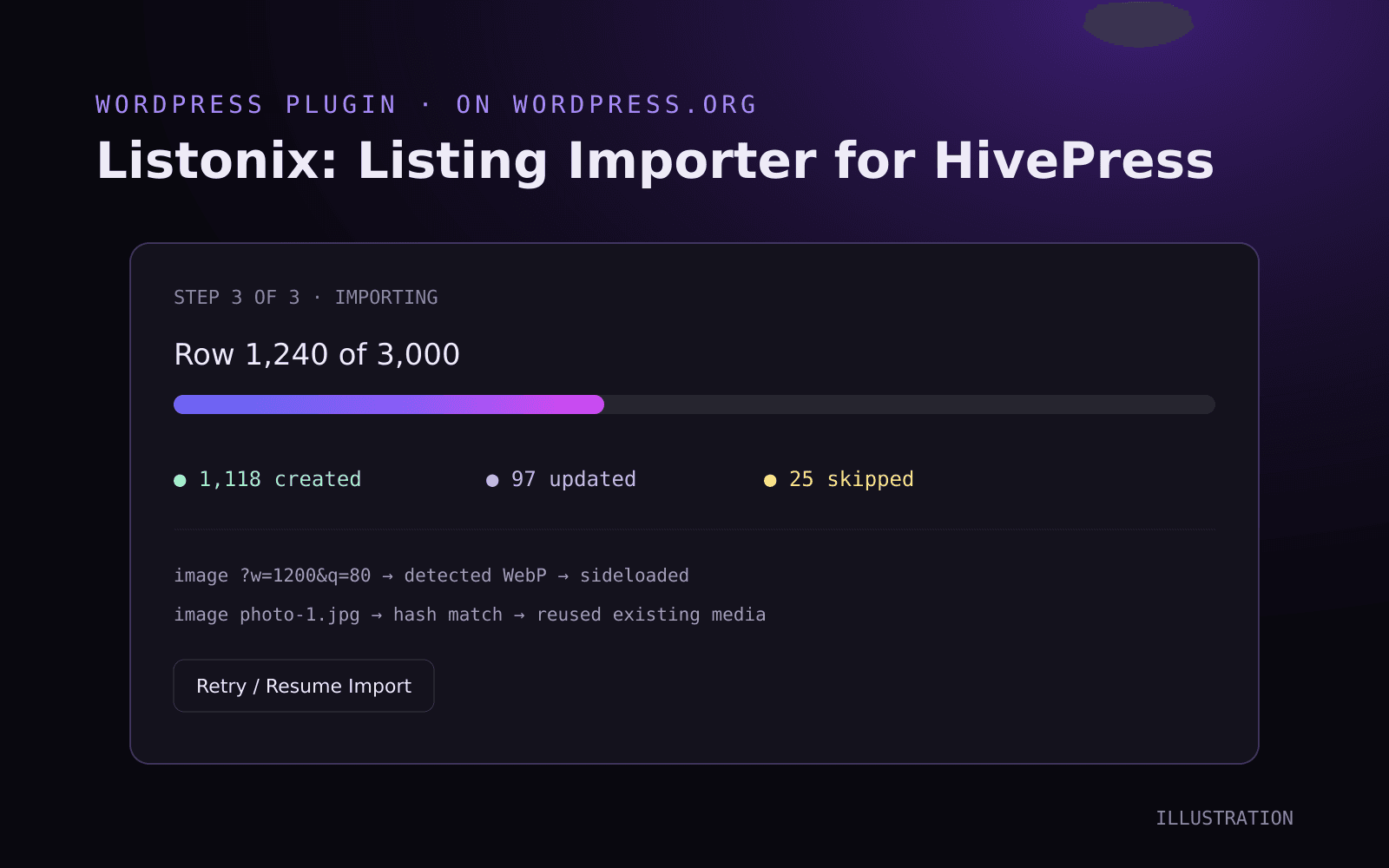
A three-step admin wizard that processes the spreadsheet in small background chunks with a live progress bar, saves the exact byte offset after every row so an interrupted import resumes where it stopped, detects image types from the file's binary header, and links already-imported images instead of downloading them again.
AI acceleration
AI tooling sped up scaffolding of the admin screens and the WordPress.org readme. The import pipeline (chunking, resume offsets, MIME sniffing and deduplication) was designed and reviewed by hand, then hardened for the plugin directory review.
Built for large imports#
Each request processes only a small chunk of rows, driven by AJAX from the admin screen. The progress bar shows the current row, how many listings were created or updated, and which rows had problems, so a 3,000-row file never hits a PHP timeout.
Recovering from interruptions#
After every row the importer stores its byte offset in the file. If the connection drops or the server restarts, Retry / Resume Import continues from that offset: no re-imported rows and no half-finished cleanup.
Images that just work#
Many CDNs and image services serve URLs without a file extension. Listonix reads the downloaded file's binary header to detect the real format, gives the file the right extension and attaches it to the listing gallery. Each source URL is hashed, so importing the same image twice reuses the existing media item instead of creating photo-2.jpg.
Field matching#
Headers exported from other tools (such as contact_details.phone) are cleaned into readable labels and matched automatically to HivePress fields: title, description, images, categories, location and more. Import modes cover creating new listings only, updating existing ones, or both.